
Microsoft has officially thrown its hat into the ring of agentic browsing with a fleshed out “Copilot Mode” for its Edge web browser.
With Google testing Gemini integration in Chrome, and Perplexity going all out launching its AI browser Comet, it’s not too surprising to see Windows launch new experimental features that integrate Copilot AI and Edge in more ways.
A cleaner browser

Open a new tab and Edge greets you with, “Ready when you are”. Gone is the cluttered news feed. In its place sits a text box where you can paste a link, ask a question or use it as you would any other AI chat.
Context over clicks
If you have multiple tabs open, you can give Copilot permission to go through them all and then answer any questions you may have about them.
Say, for example, you have 5 tabs open and they’re all different webpages with recipes to make crème brûlée. And, you just want to know which recipe to follow that’s most beginner friendly. You could simply ask Copilot “please compare all the recipe tabs I have open and let me know which approach is best suited for a beginner”. It will quickly provide an answer for you.
The Copilot icon sits next to the web address bar. If you’re reading an article and want a quick summary, you can click on the icon for a Copilot chat window to appear where you can ask it anything about the current page you’re on.
Satya Nadella, Chairman and CEO at Microsoft, shared on LinkedIn that his favorite feature of Copilot Mode is its multi-tab RAG capability, which lets users analyze tabs that you have open. He went on to say: “And there is a lot more to come, including built-in actions so you can delegate tasks as you browse.”
Hands-on impressions
After reading the announcement I decided to try the new agentic feature for myself.
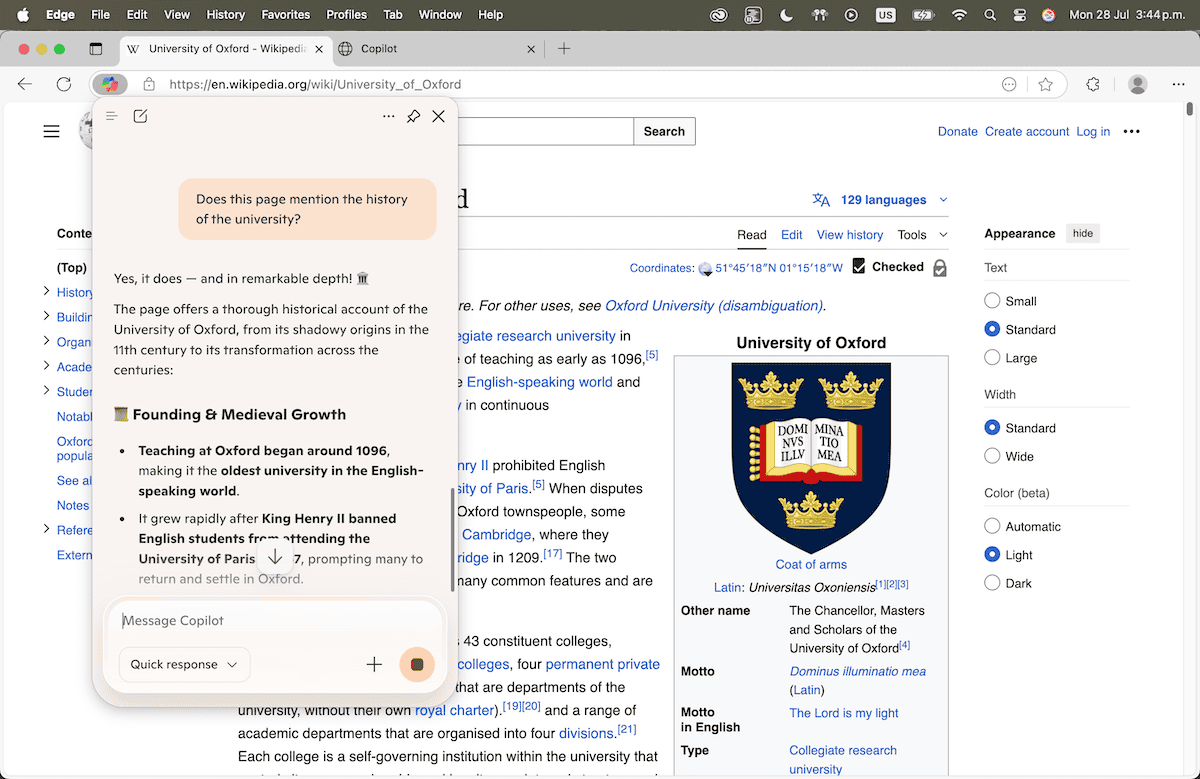
While skimming the University of Oxford Wikipedia entry, I asked: “Does this page mention the history of the university?”Copilot responded swiftly, and highlighted that the article dates Oxford to circa 1096, and even broke out a Founding & Medieval Growth bullet list. I didn’t lose my scroll position and page stayed centre-stage. The AI behaved like a whispering researcher.
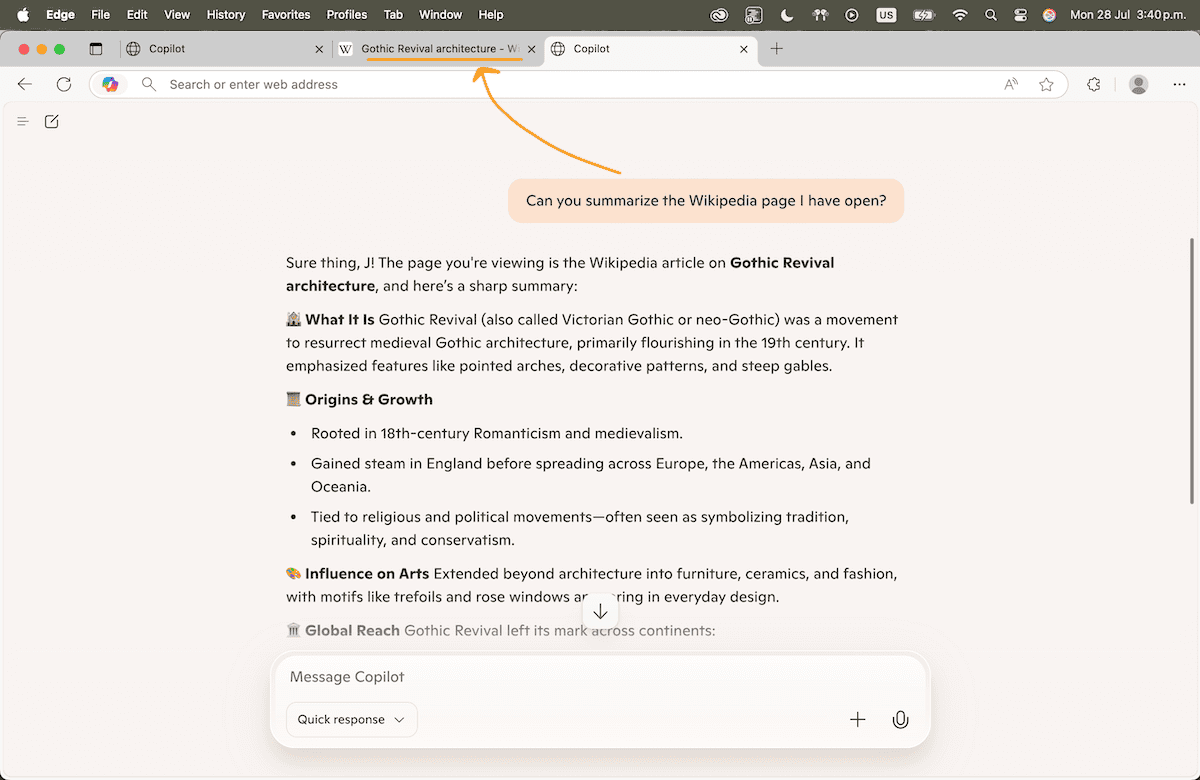
Next, I found myself on a Wikipedia page about Gothic Revival architecture. I opened a new tab and asked Copilot to “summarise the page”. The chat window was quickly filled with a nicely formatted, easy-to-read overview (from its origins in Romanticism, influence on arts, and global spread). I decided to double check the info and was happy to find the summarization was true to the source material.
All in all, the experience felt quite seamless and if someone asked me whether it “elevated my web-browsing experience” I’d say yes. It felt like a glimpse of what the future of web browsing will be.
Edge’s Copilot Mode is currently free (for a limited time) on Windows and Mac.
