
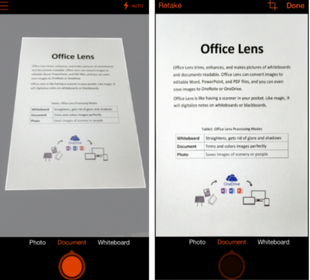
Microsoft launched its mobile document scanning app called Office Lens for iOS and Android smartphones.
The app essentially turns a users phone into a pocket scanner and it can be used to take pictures of documents, receipts, business cards, whiteboards, stick notes, menus, and more.
Office Lens then crops, enhances and saves the images to OneNote.
An online archive of all a user’s scans can be created with app with the OneDrive service.
The application was first launched a year ago only for the Windows Phone but it has not been available for iOS and Android users until now.
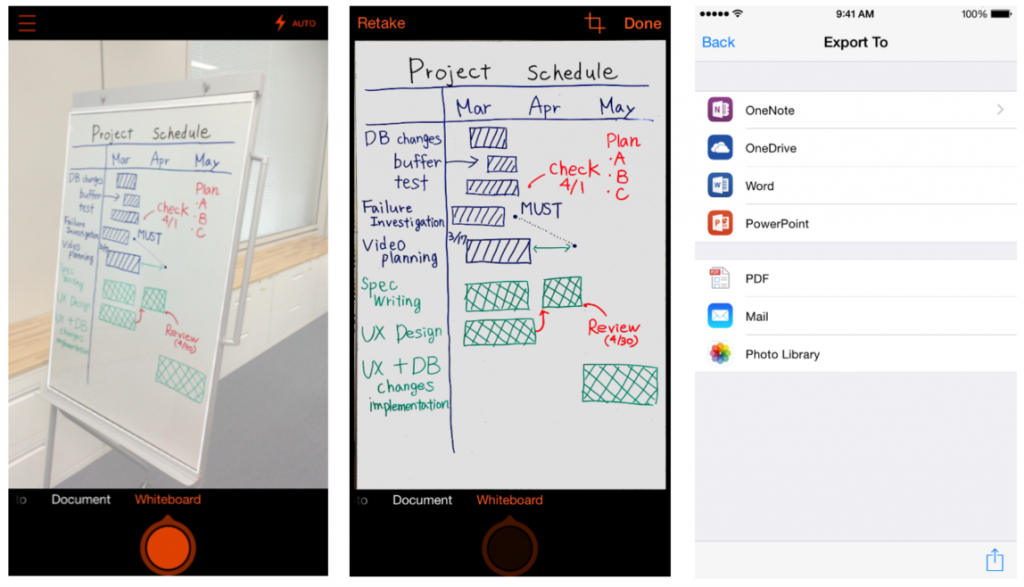
Before-and-after look at a picture of a whiteboard, captured and processed by Office Lens for iPhone. Source: Microsoft
According to an official Microsoft blog post:
“Office Lens is a handy capture app that turns your smartphone into a pocket scanner and it works with OneNote so you’ll never lose a thing. Use it to take pictures of receipts, business cards, menus, whiteboards or sticky notes—then let Office Lens crop, enhance and save to OneNote. Just like that—all the scanned images you capture from Office Lens are accessible on all your devices.”
The most significant features and capabilities of the app include:
- Recognizing the corners of a document and automatically cropping, enhancing and cleaning up the image.
- Identifying printed text with optical character recognition (OCR) so that you can search by key word for the image in OneNote or OneDrive.
- Converting images of paper documents and whiteboard notes into Word documents, PowerPoint presentations and PDF files for easy editing and reformatting.
- Capturing business cards and generating contacts you can add to your phone.
- Inserting images to OneNote or OneDrive (as DOCX, PPTX, JPG or PDF format) and giving you options to save, export and share the image.
The app is already available for iOS users to download via the iTunes App Store and a preview version of the Android app is available to test.
Microsoft now has more than 100 iOS and Android apps and it has launched some of its most popular services and products to the competing mobile platforms, such as Office, Outlook, and OneDrive.
